Loading
Permit MCP Gateway
Authentication, fine-grained authorization, consent, and audit, so your agents can move fast without turning your SaaS and data into open desert.

Deploy AI agents with confidence.
Per-tool authorization, human consent,
and an audit log for every call.

Platform Overview
See It In Action
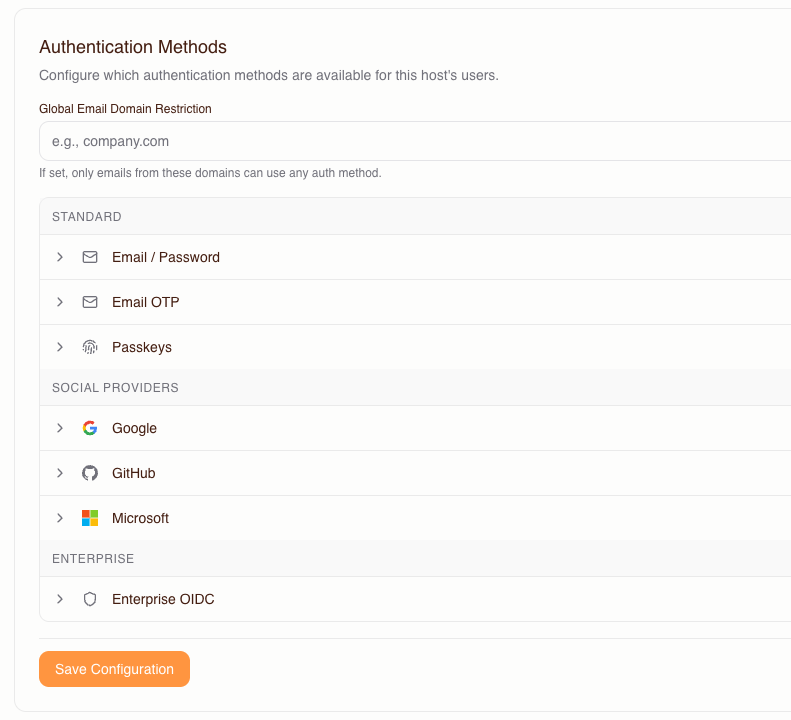
Every session starts with a real human. The gateway authenticates users via your existing IdP—SSO, OIDC, OAuth 2.1—and binds every agent action to a verified identity.
01/04
Drop-in proxy for any server that speaks MCP. Your MCP servers stay unchanged.
 Salesforce
https://your-gateway.agent.security/mcp?upstream_mcp=https://api.salesforce.com/platform/mcp/v1-beta.2/sobject-all
 GitHub
https://your-gateway.agent.security/mcp?upstream_mcp=https://api.githubcopilot.com/mcp/
 Slack
Slackhttps://your-gateway.agent.security/mcp?upstream_mcp=https://mcp.slack.com/mcp
 Google Drive
https://your-gateway.agent.security/mcp?upstream_mcp=https://gdrive.googleapis.com/mcp
 Jira
Jirahttps://your-gateway.agent.security/mcp?upstream_mcp=https://mcp.atlassian.com/v1/mcp
 Confluence
https://your-gateway.agent.security/mcp?upstream_mcp=https://mcp.atlassian.com/v1/mcp
 HubSpot
https://your-gateway.agent.security/mcp?upstream_mcp=https://mcp.hubspot.com
 Notion
https://your-gateway.agent.security/mcp?upstream_mcp=https://mcp.notion.com/mcp
 Linear
https://your-gateway.agent.security/mcp?upstream_mcp=https://mcp.linear.app/mcp
 PostgreSQL
https://your-gateway.agent.security/mcp?upstream_mcp=https://mcp.neon.tech/mcp
 Stripe
https://your-gateway.agent.security/mcp?upstream_mcp=https://mcp.stripe.com
 Snowflake
https://your-gateway.agent.security/mcp?upstream_mcp=https://<account>.snowflakecomputing.com/api/v2/mcp
 MongoDB
https://your-gateway.agent.security/mcp?upstream_mcp=https://mcp.mongodb.com
 AWS S3
https://your-gateway.agent.security/mcp?upstream_mcp=https://knowledge-mcp.global.api.aws
 Figma
Figmahttps://your-gateway.agent.security/mcp?upstream_mcp=https://mcp.figma.com/mcp
 Zendesk
https://your-gateway.agent.security/mcp?upstream_mcp=https://mcp.zendesk.com/mcp














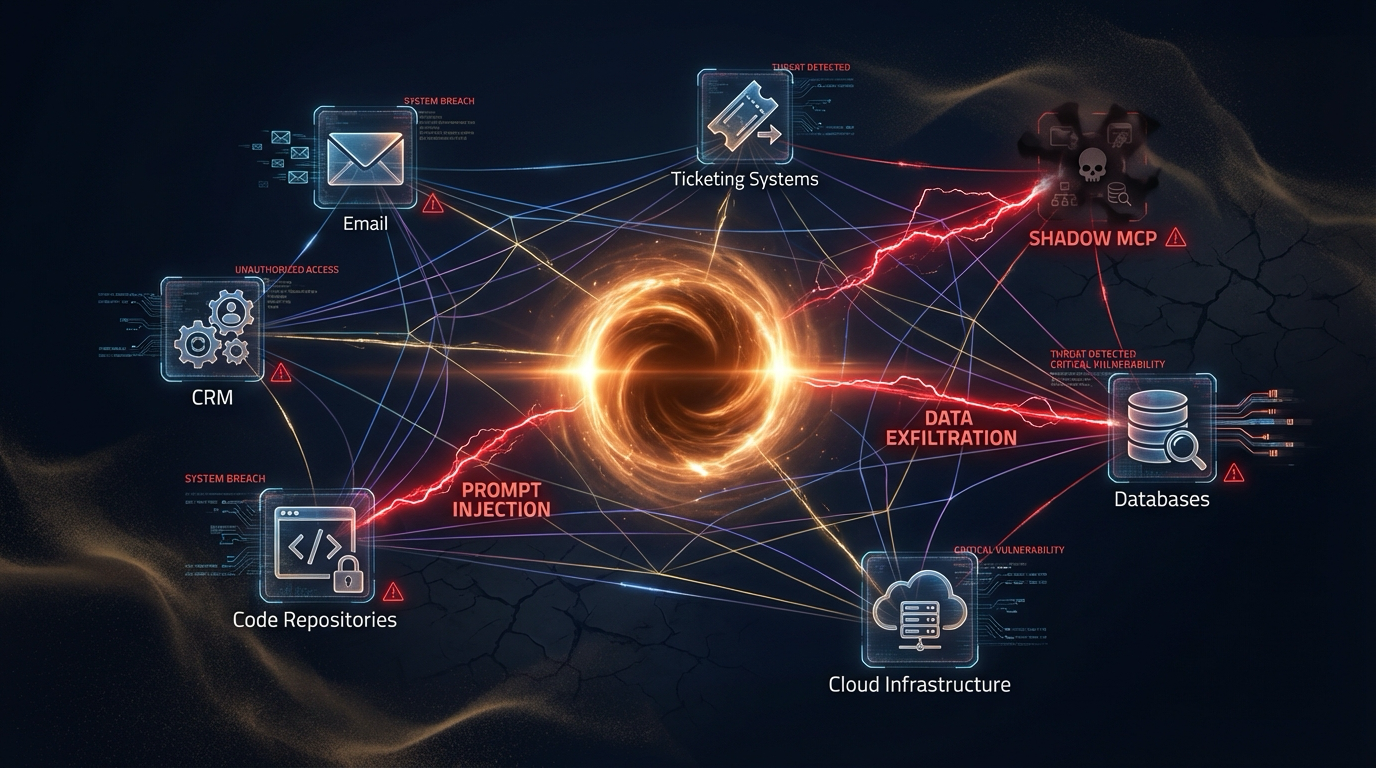
Your agents can reach Notion, Google, Salesforce, ticketing, code, infra, in milliseconds. That's powerful. It's also a new blast radius.
Gartner's take: Gartner describes “guardian agents” as AI-based technologies that support trustworthy and secure AI, including by monitoring agents and redirecting or blocking their actions.
Permit MCP Gateway is an MCP gateway that enforces policy on every tool call,
Purpose-built for Identity + Delegation + Least Privilege
An MCP gateway is a proxy between MCP clients, such as Cursor or Claude, and the MCP servers they call. Permit MCP Gateway authenticates the human behind each agent, checks every tool call against policy in Permit, confirms consent, and logs the decision. You configure once; the gateway enforces on every call.
Agentic identity
Agentic identity
Human, consent, and intent, bound together and checked against policy on every tool call.
One agent action, four enforcement points

Sign users in with SAML or OIDC SSO, Google, GitHub, or Microsoft OAuth, email, or passkeys. The gateway runs the OAuth 2.1 flow for MCP clients and refreshes upstream tokens. No custom auth code required.

Every tool call is checked with Permit before it reaches the MCP server. The gateway generates the policy from your servers, tools, and trust levels, and it works with RBAC, ABAC, and ReBAC.

Users pick an MCP server and a trust level, and see which tools the agent can call before they accept. Admins set the maximum trust level for each user. No frontend work needed.

Each tool call is bound to one human and one agent through a relationship-based (ReBAC) model. Revoke a human's access and their agents lose access to that server on the next call.

Manage hosts, MCP servers, humans, and agents in one admin dashboard, with Permit as the control plane. Policy changes apply on the next tool call.

Every allowed or denied tool call is logged with the human, the agent, the tool, the MCP server, the time, and the reason. Filter in the dashboard or pull entries through the audit log API.
Security controls that apply to every tool call, from the human who signs in to the audit record that proves what happened.
Users sign in with SAML, OIDC SSO, Google, GitHub, Microsoft OAuth, email, or passkeys. The gateway handles OAuth 2.1 for MCP clients, stores upstream tokens securely, and issues its own session tokens to agents. Agents never receive your upstream credentials.
Every tool call is evaluated against policy in Permit before it reaches the MCP server. The gateway generates policy from your servers, tools, and trust levels, and supports RBAC, ABAC, and ReBAC models. Deny by default keeps tools blocked until explicitly allowed.
Users see a consent screen that lists the tools an agent can call before they accept. Tools are classified by risk (low, medium, high), and admins set the maximum trust level each user can grant. Users choose their trust level; policy enforces it.
Every allowed or denied tool call is logged with the human, the agent, the tool, the MCP server, the timestamp, and the reason for the decision. Filter logs in the dashboard or pull entries through the API. Logs are retained for 7 days on MCP Gateway Free and longer on paid plans.
An MCP server exposes tools. An MCP gateway protects access to them. They serve different roles in the architecture.
You can run Permit MCP Gateway in front of any MCP server without modifying the server. The gateway handles authentication, consent, authorization, and audit; the server handles tool execution.
No SDK to install. No agents to rewrite. No MCP servers to modify.
Just configure, consent, connect.
Auto-Classified Tools
Import your MCP servers. The gateway discovers each server's tools, assigns each tool a trust level by risk (low, medium, or high), and generates the Permit policy. You can override any tool's trust level.
Humans Stay in Control
Grant users access to MCP servers and set each user's maximum trust level. When a user connects an agent, the consent screen shows which tools it can call. On Enterprise plans, require human approval for high-risk calls.
Same Protocol, New Powers
Share the gateway URL and the client snippets for Cursor, Claude Desktop, VS Code, or Claude Code. Authentication, authorization, consent, and logging happen at the gateway, and allowed calls reach your MCP server unchanged.
With Agent Interrogation, the gateway exposes one tool first: identify_self. The rest of the catalog unlocks only after the agent identifies itself, and later behavior is compared with that fingerprint to detect drift. Available on request.
Reduces: The risk that one context on a shared client connection uses permissions granted to another, and unnoticed changes in agent behavior.
Capabilities built for agentic AI at scale, from sign-in to audit trail.
Humans
Bring your IdP. Sign users in with SAML or OIDC SSO, OAuth, or email, and tie every tool call to the human behind it.
Agents
The gateway generates Google Zanzibar-style ReBAC policy that combines the trust level a human grants with the ceiling an admin sets. Policies are standard Permit objects that work with RBAC and ABAC too.
Your Security Team Won't Hate
A trust level slider with Allowed and Denied badges for each tool, so users see what an agent can call before they accept. Tools are classified by risk automatically.
Credentials Stay at the Gateway
The gateway runs upstream OAuth, keeps the upstream tokens, and gives the MCP client its own gateway token. Agents never receive your upstream credentials.
By Default
Every decision becomes an audit trail: what happened, when it happened, and why it was allowed or denied.
Drift Detection
When an agent's fingerprint drifts from its baseline, for example after a changed system prompt or a model swap, policy can downgrade trust, require re-consent, or block the call.
Gartner uses the term “guardian agents” for AI-based technologies that monitor other AI agents and can redirect or block their actions. Permit provides the fine-grained control plane and enforcement point that this kind of oversight needs.
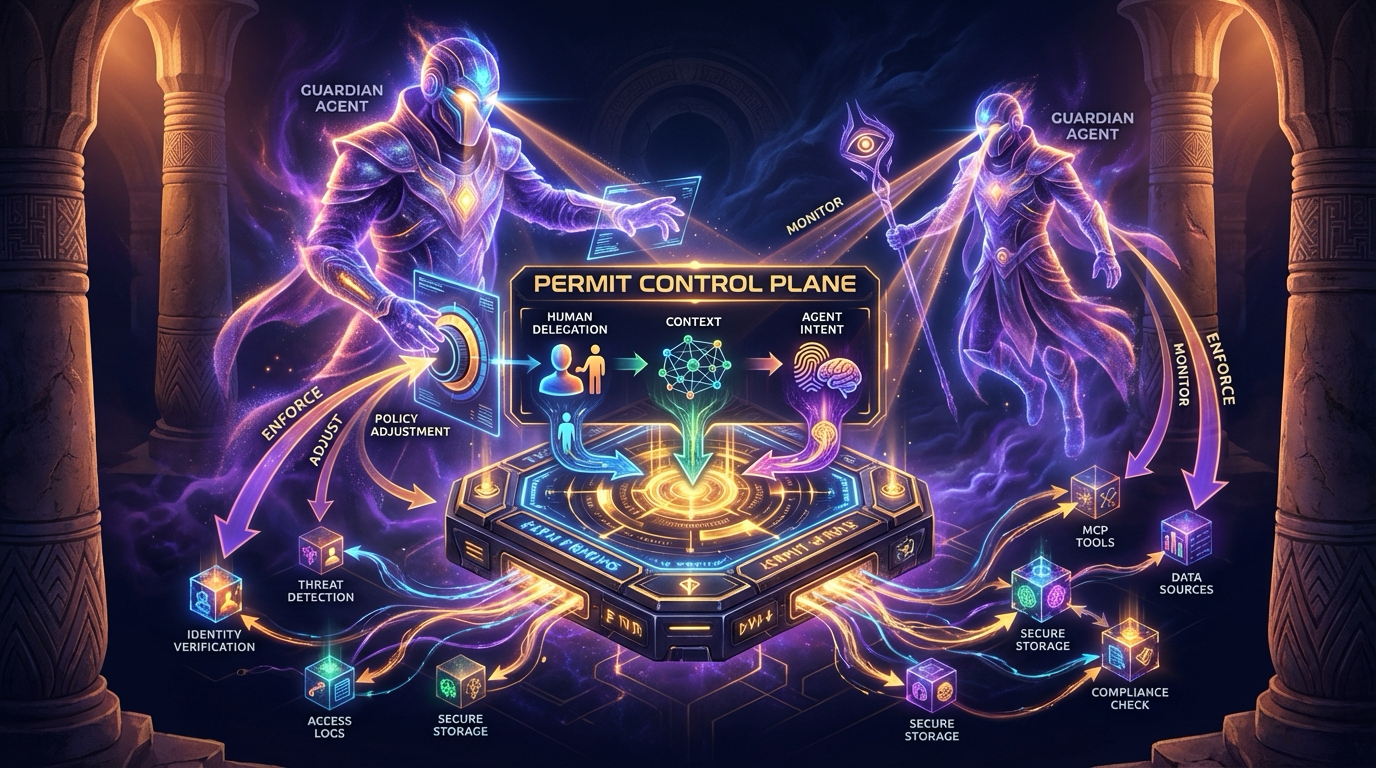
Observe every agent tool call, with the human, the agent, and the decision in the audit log
Change trust levels or revoke access, and the next tool call uses the change. Drift can trigger re-consent or approval
Fine-grained enforcement using agentic identity: human delegation, workflow context, and declared intent
For Internal Agents
Let Cursor, Claude, and internal agents use MCP under policy. Limit what they can do on sensitive surfaces such as email, CRM, files, and ticketing.

For Your Customers
If you expose MCP as a product surface, run a gateway host per customer or team, each with its own subdomain, sign-in methods, trust levels, and audit log.
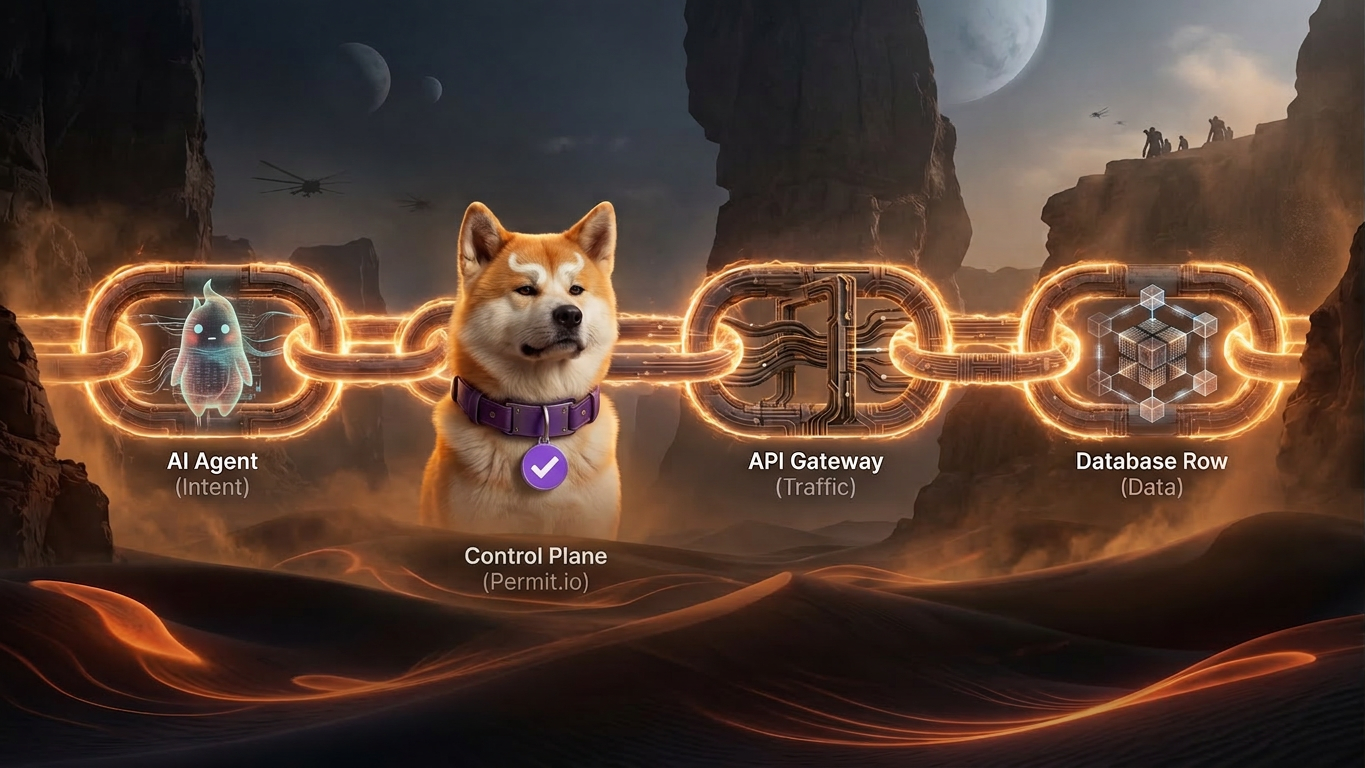
Why Permit
Most “MCP security” products stop at the gateway. Permit's advantage is years building the authorization control plane underneath.
As agentic AI collapses boundaries, the identity stack converges: IGA + PAM + Zero Trust + IAM acting as one system that is real-time, dynamic, and fine-grained.
Permit's hybrid architecture decouples the control plane from the data plane. Keep enforcement close to your workloads and let OPAL push policy updates to your local PDP.
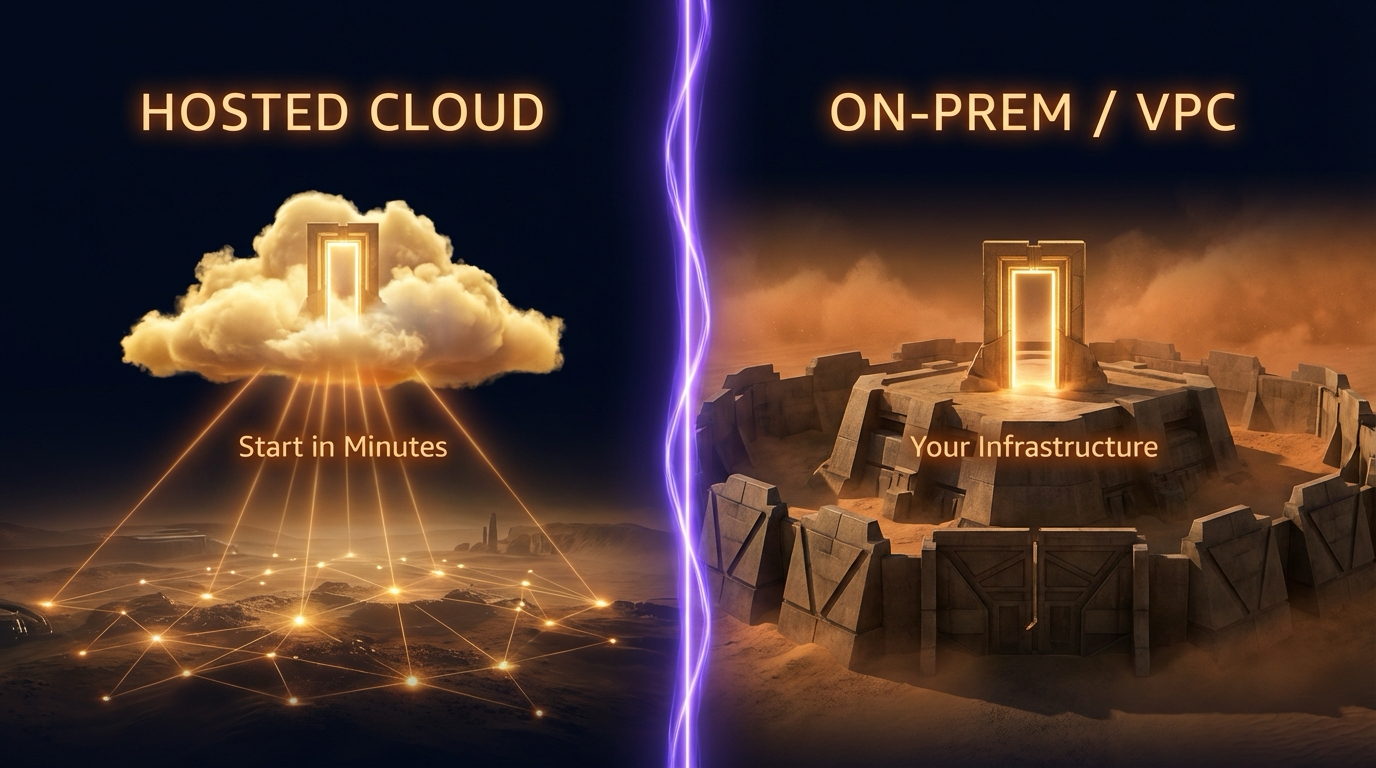
Start in minutes. No infrastructure to manage. Permit handles the control plane so you can focus on building.
Keep MCP traffic inside your network with the gateway and a local PDP next to your workloads, or run the whole stack, control plane included, fully on-premises. Available on Enterprise plans.
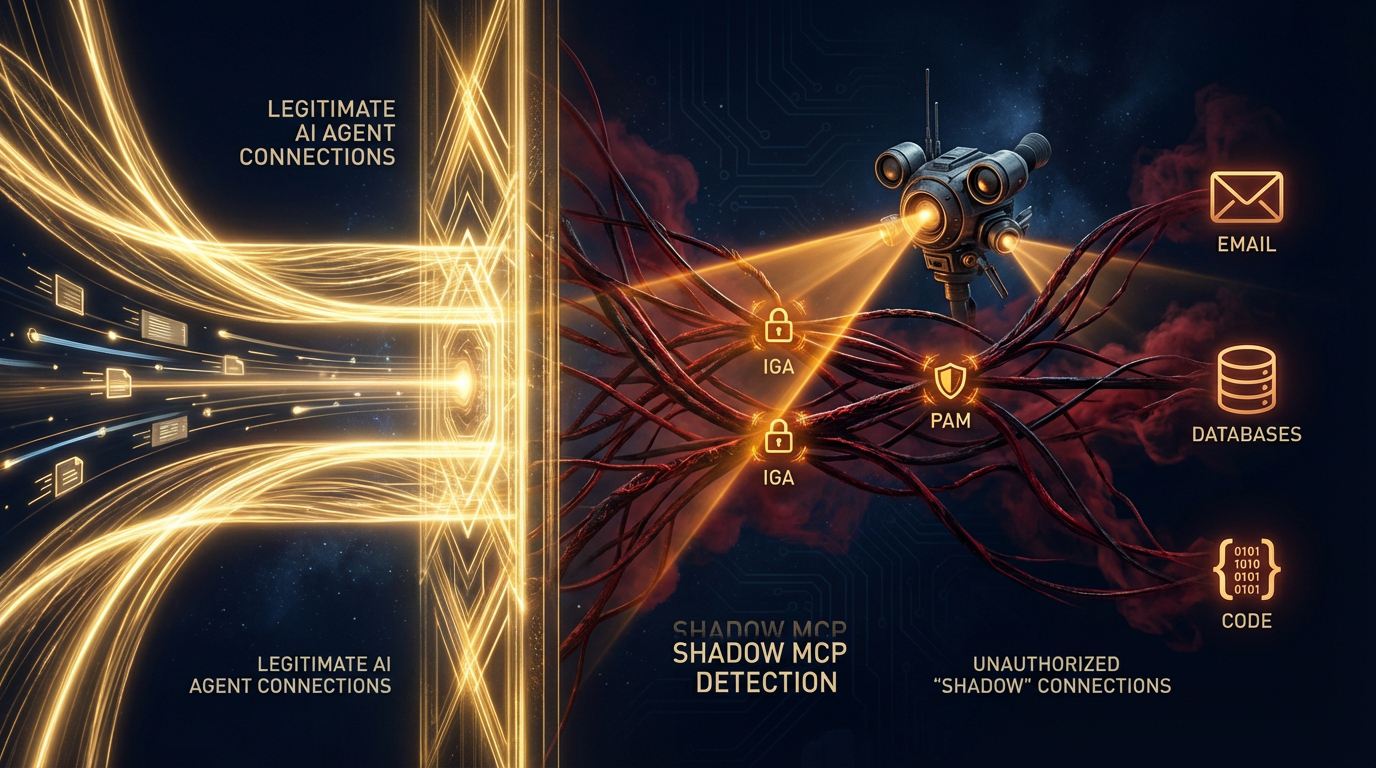
Agents won't always go through the gateway. So we're building connectors to detect, alert, and block when agents touch sensitive surfaces outside it. For an agent's direct HTTP calls outside MCP, the HTTP egress proxy applies the same governance today.
An MCP gateway is a proxy that sits between MCP clients (such as Cursor, Claude Desktop, or VS Code) and MCP servers. It authenticates users, authorizes each tool call against policy, captures consent, and logs every decision. Permit MCP Gateway adds fine-grained authorization so you can control which agents call which tools on behalf of which users.
An MCP server exposes tools that agents can call. An MCP gateway sits in front of one or more MCP servers and enforces policy before requests reach them. The gateway handles authentication, consent, authorization, and audit. The MCP server handles the actual tool logic. You can run a gateway in front of any MCP server without modifying the server itself.
Permit MCP Gateway provides OAuth 2.1 authentication, fine-grained authorization checked on every tool call, consent screens that show users which tools an agent can access, human-in-the-loop approval for sensitive actions, and audit logs that record every allowed or denied call. Tools are classified by risk so admins can set trust levels.
Yes. Permit MCP Gateway is a drop-in proxy for any server that speaks the Model Context Protocol. Your existing MCP servers stay unchanged. The gateway sits between clients and servers, adding authentication, authorization, and logging without modifying the server code.
MCP Gateway Free includes 10 tenants, 1 environment, 7 days of audit log retention, and 1,000 monthly active users. It is a separate product from the classic Permit authorization plans. For teams that need more tenants, environments, or longer retention, paid tiers are available on the MCP Gateway pricing page.
“For the first time, we see what’s really happening inside our agentic stack. When something deviates, we know it’s real.”
Enterprise Security Leader
We'll make sure they only go where they're allowed.
Or talk to the Permit team →