

Loading
3366 Members
 Join Permit's Slack
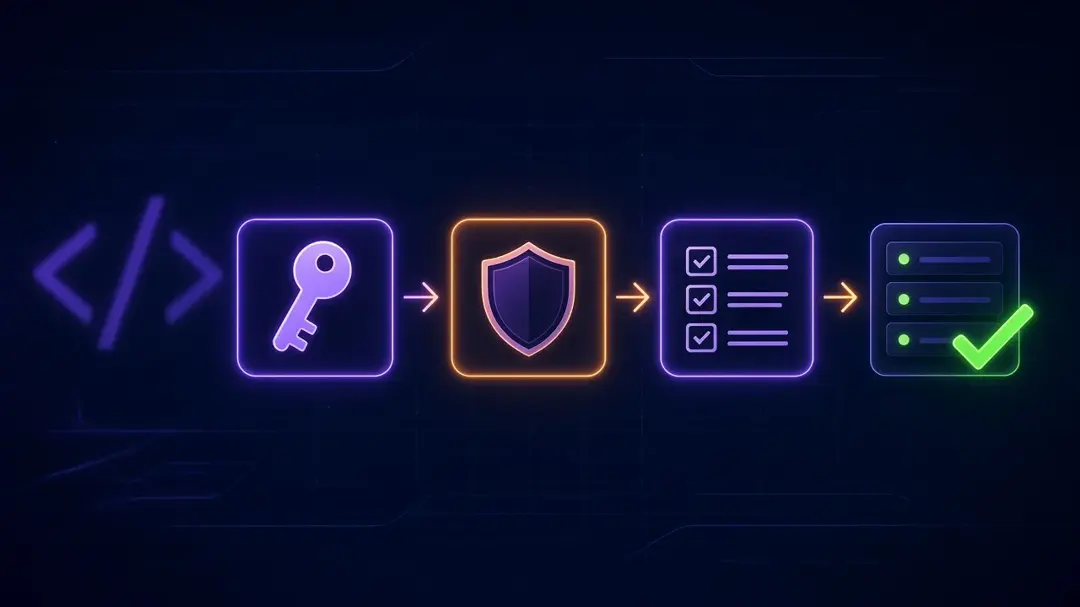
Authorization in Express.js comes down to one decision per request: can this user perform this action on this resource? Express gives you the place to make that decision, which is middleware that runs before the route handler. It doesn't give you the decision itself. This guide builds it up in four steps:
The Express code and SDK calls below were run with Express 5.3.0, jsonwebtoken 9.0.3, the permitio Node SDK 2.7.7 and Node 24, against a stub PDP, and a test suite at the end exercises every route. The Permit policy setup in step 4 is described, not executed, for this post. If you want a longer tutorial with a ready-made policy template, see our Express quickstart or the older walkthrough on RBAC in an Express.js application.
Authorization needs a trusted user identity. In most APIs that is a verified JWT. This middleware rejects requests without a valid token and puts the claims on req.user:
// auth.js
const jwt = require('jsonwebtoken');

function authenticate(req, res, next) {
  const header = req.headers.authorization || '';
  const token = header.startsWith('Bearer ') ? header.slice(7) : null;
  if (!token) return res.status(401).json({ error: 'Missing bearer token' });
  try {
    req.user = jwt.verify(token, process.env.JWT_SECRET, { algorithms: ['HS256'] });
    next();
  } catch {
    res.status(401).json({ error: 'Invalid token' });
  }
}

module.exports = { authenticate };
Two details matter. Pin the accepted algorithms so a token can't pick its own. And return 401 here, because "who are you" failed. 403 is for the next step, when the user is known and the answer is no. If your identity provider signs with a key pair, pass its public key to jwt.verify() instead of a shared secret.
The usual first version of authorization is a map from roles to permissions and a middleware factory that checks it:
// rbac.js
const ROLE_PERMISSIONS = {
  admin: ['invoice:read', 'invoice:create', 'invoice:approve', 'invoice:delete'],
  accountant: ['invoice:read', 'invoice:create', 'invoice:approve'],
  viewer: ['invoice:read'],
};

function requirePermission(permission) {
  return (req, res, next) => {
    const roles = req.user?.roles ?? [];
    const allowed = roles.some((role) => ROLE_PERMISSIONS[role]?.includes(permission));
    if (!allowed) return res.status(403).json({ error: 'Forbidden' });
    next();
  };
}

module.exports = { requirePermission };
app.get('/v1/invoices', authenticate, requirePermission('invoice:read'), (req, res) => {
  res.json([]);
});
Routes ask for a permission, not a role, which is the right habit. Adding a role means editing one map instead of every route.
This works for a single service with a few fixed roles. It starts to hurt when:
admin in one workspace and viewer in another doesn't fit a flat roles claim.if statements spread across handlers.The fix is to keep the middleware shape and move the decision out of the code. The route still says what it needs. A PDP answers using roles and policies stored outside the service, so a role change takes effect on the next check after the update reaches the PDP, without a redeploy or a new token.
With Permit, the decision is a call to permit.check(user, action, resource). The SDK resolves the check to true or false. The middleware factory looks like this:
// permit-authz.js
const { Permit } = require('permitio');

const permit = new Permit({
  token: process.env.PERMIT_API_KEY,
  pdp: process.env.PDP_URL, // for example http://localhost:7766
});

function authorize(action, resourceFor, userFor = (req) => req.user.sub) {
  return async (req, res, next) => {
    try {
      const permitted = await permit.check(userFor(req), action, resourceFor(req));
      if (!permitted) return res.status(403).json({ error: 'Forbidden' });
      next();
    } catch (err) {
      // Fail closed: no decision means no access
      console.error('Permission check failed:', err.message);
      res.status(503).json({ error: 'Authorization unavailable' });
    }
  };
}

module.exports = { permit, authorize };
And a route that uses it, scoped to the caller's tenant:
app.get('/invoices', authenticate,
  authorize('read', (req) => ({ type: 'invoice', tenant: req.user.tenant })),
  (req, res) => res.json([]));
The JWT should now only identify the user. The sub claim must match the user key in Permit, and roles are assigned in Permit per tenant. Revoking a role no longer depends on token expiry, only on the change reaching the PDP.
The catch block matters. If the PDP is unreachable, the SDK throws by default, and the middleware answers 503 instead of letting the request through. Don't swallow that error with a default allow.
Where the PDP runs affects latency. In Permit's hybrid model, you run the PDP in your network, and the Edge PDP receives policy and data updates through OPAL, so checks stay local while policy changes propagate without a redeploy. Running the PDP as a sidecar next to your service keeps each check on the host. Our post on embeddable, sidecar and remote PDPs covers the trade-offs, and PEP, PDP, and Decision Logs explains why the decision lives outside the enforcement point.
Some rules can't be expressed with roles alone. Say finance users may approve invoices only below an amount limit. That is attribute-based access control: the decision compares user attributes (department) and resource attributes (amount) against conditions in the policy.
With Permit, you pass the attributes in the user and resource objects of the same permit.check() call. The middleware from step 3 already accepts a custom userFor, so the route only needs two small functions. The route reads req.body, so mount the JSON body parser first:
app.use(express.json());

const invoiceWithAmount = (req) => ({
  type: 'invoice',
  tenant: req.user.tenant,
  attributes: { amount: Number(req.body.amount) },
});

const userWithDepartment = (req) => ({
  key: req.user.sub,
  attributes: { department: req.user.department },
});

app.post('/invoices/approve', authenticate,
  authorize('approve', invoiceWithAmount, userWithDepartment),
  (req, res) => res.json({ approved: true }));
The limit itself doesn't appear in the code. In Permit you define department as a user attribute and amount as an attribute of the invoice resource, then create a user set and a resource set with the conditions and grant approve on that pair. Changing the limit is a policy edit, not a deploy.
The attributes you pass at check time must already be defined in your Permit policy. For this ABAC example, run the container Edge PDP (permitio/pdp-v2) so the policy is evaluated locally with the attributes passed in the check. For the PDP setup, see run the PDP.
You can test authorization middleware without a live policy by pointing the SDK at a stub PDP and asserting on what it sends. This is how the code in this guide was checked. The stub records each request and answers { "allow": true } or false:
// test.js (excerpt)
const pdp = http.createServer((req, res) => {
  let body = '';
  req.on('data', (c) => (body += c));
  req.on('end', () => {
    seen.push({ url: req.url, body: JSON.parse(body) });
    res.setHeader('content-type', 'application/json');
    res.end(JSON.stringify({ allow }));
  });
});
The suite has five passing tests covering 401 without a token or with a bad one, the hand-rolled RBAC allow and deny, the Permit RBAC request and both outcomes, the ABAC request, and a 503 when the PDP is down. For the approve route, the SDK sent this body to the PDP's /allowed endpoint:
{
  "user": { "key": "jane@acme.com", "attributes": { "department": "finance" } },
  "action": "approve",
  "resource": { "type": "invoice", "tenant": "acme", "attributes": { "amount": 4200 } },
  "context": {}
}
A stub proves your middleware sends the expected request and handles allow, deny and PDP failure. It doesn't test the live policy. Test the policy against a real PDP in a staging environment, with one allowed and one denied case per rule.
401. Authorize second and return 403.read, approve), not roles.How do I add authorization middleware in Express?
Write a factory that takes an action and returns (req, res, next). Inside it, decide whether req.user may perform the action on the resource, call next() if yes, and return 403 if no. Mount it after your authentication middleware on each route.
Should roles go in the JWT? Put identity in the token and evaluate permissions at request time. Roles in a long-lived token stay trusted until it expires unless you build revocation logic.
What is the difference between RBAC and ABAC in Express? RBAC answers from the user's role. ABAC also compares attributes of the user, the resource or the request, such as department or invoice amount. The middleware is the same; the data passed to the check is richer.
Do I need to redeploy when a policy changes? Not when the decision lives in a PDP. Roles and policies are managed in Permit and distributed to the PDP, so checks use the updated policy once the change reaches it.
To try this with your own routes, create a free Permit account and follow the Express quickstart.

Co-Founder / CEO at Permit.io